Clinical note drafts
Turn visits, conversations, and source files into structured drafts that clinicians review, edit, and finalize.
Hospice documentation software
Prompted helps hospice teams turn conversations, files, and patient history into structured drafts, consistent reviews, and repeatable workflows across clinical care, certification, IDG, compliance, and operations.
It works alongside your current EHR, so the system of record stays in place while your team gets a purpose-built AI workspace for the work that happens around it.
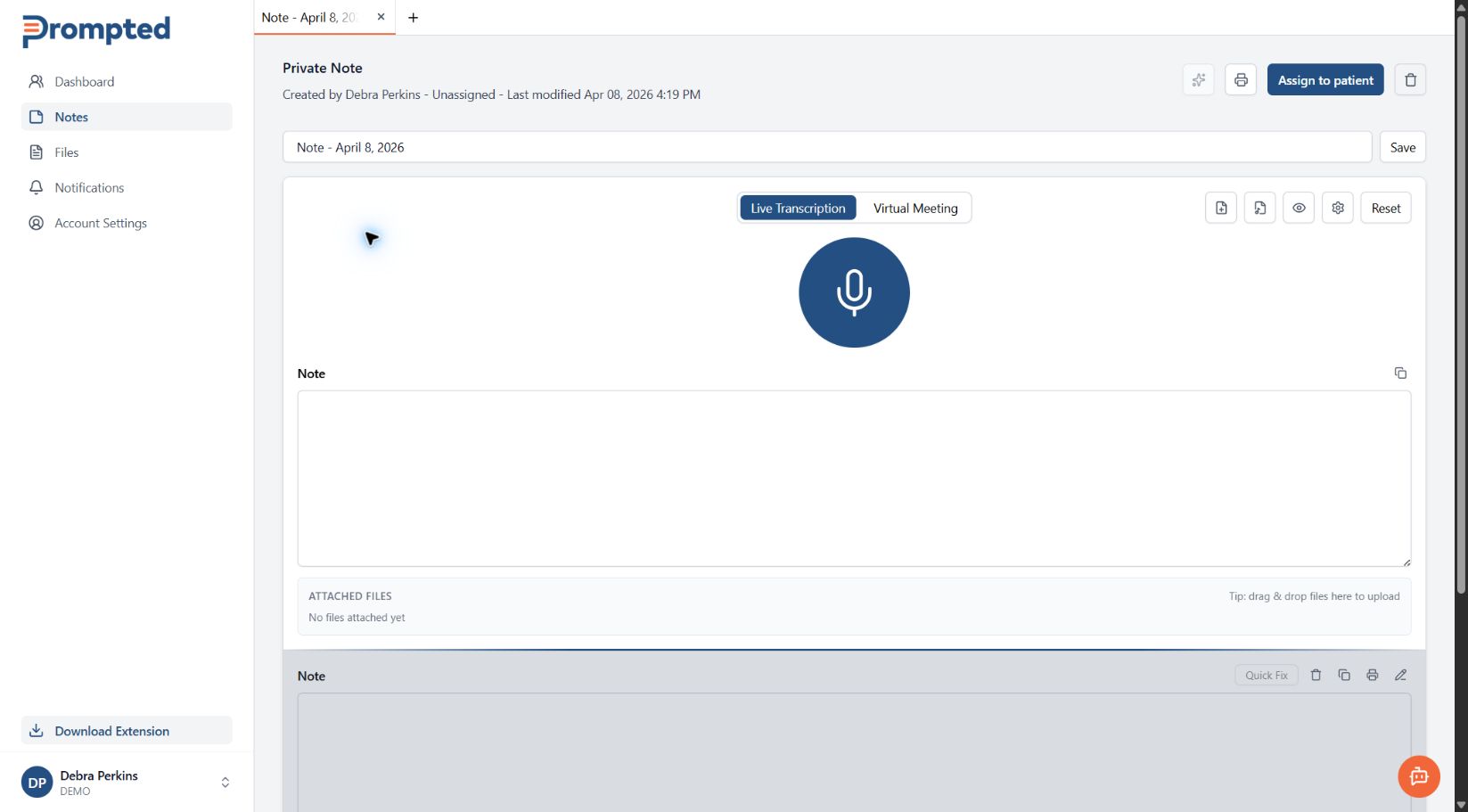
Beyond the note
A visit note does not stand alone. It supports the plan of care, informs the interdisciplinary group, contributes to certification and recertification, and may later be reviewed for payment or compliance. Prompted helps teams keep those connections visible.
Turn visits, conversations, and source files into structured drafts that clinicians review, edit, and finalize.
Organize individualized clinical evidence, disease progression, functional change, and longitudinal context for physician review.
Bring discipline updates, patient changes, decisions, and open follow-up into a consistent meeting workflow.
Apply organization-approved review steps to eligibility support, plan alignment, completeness, and record consistency.
Carry relevant history, preferences, risk, change, and unresolved needs forward into the next interaction.
Organize referrals, missing information, handoffs, recurring administrative work, and accountable next steps.
A review-first workflow
Prompted supports the preparation and review process. It does not replace the clinical judgment, eligibility decision, or final approval required from qualified hospice professionals.
01 · Bring in context
Use conversations, files, browser pages, prior records, and patient context that belong in the workflow.
02 · Apply the workflow
Run a shared template or workflow created for the task, role, and organization.
03 · Review the output
A responsible team member validates accuracy, completeness, relevance, and appropriate clinical reasoning.
04 · Finalize in process
Edit, approve, and place the final documentation through the organization’s established process and system of record.
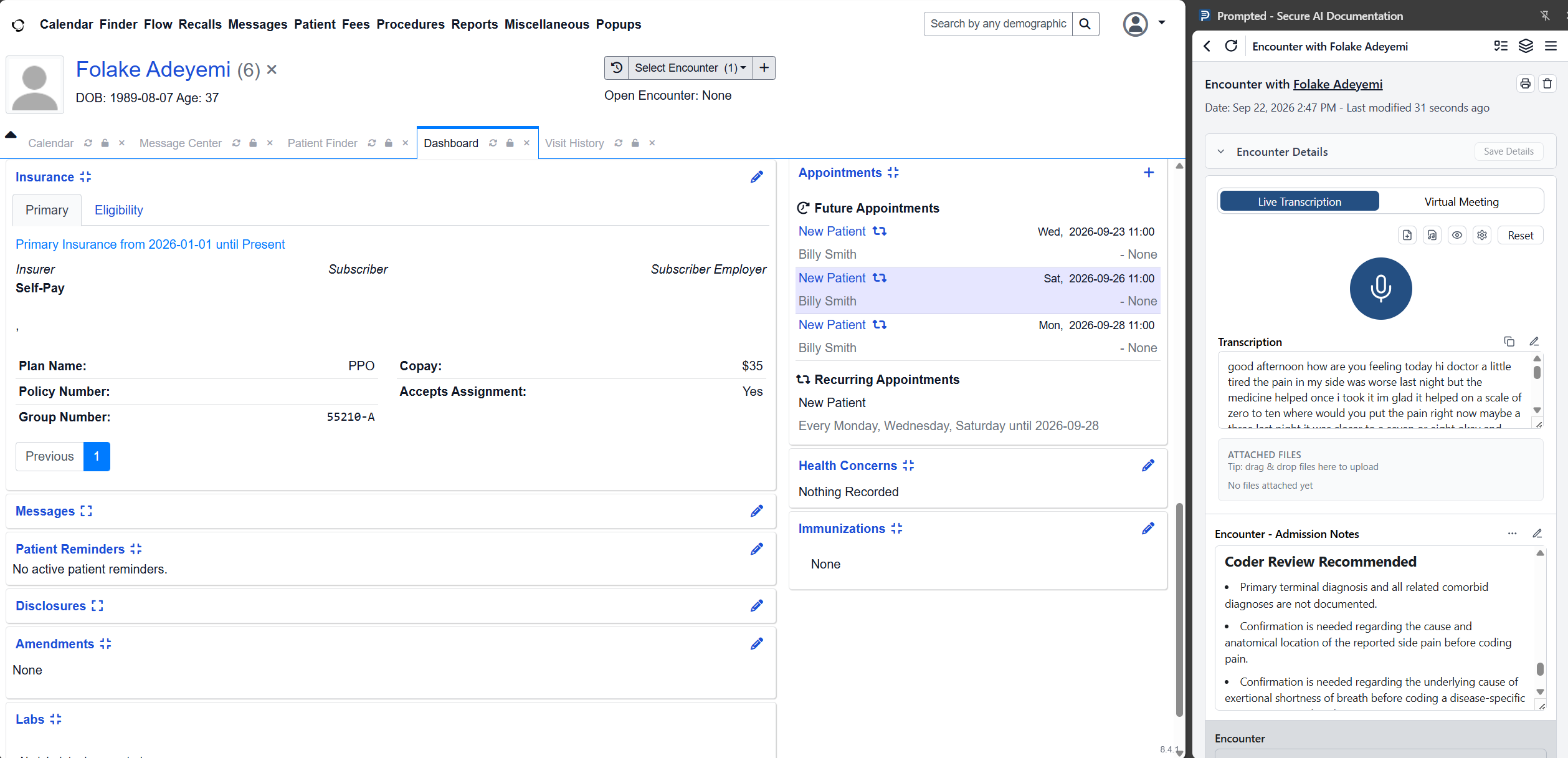
Alongside your EHR
The Prompted browser extension can remain available beside browser-based systems. Teams can bring information into an approved workflow, prepare a draft, and keep the EHR in view.
What to evaluate
The right platform should support the work around the note as well as the note itself.
Look beyond transcription to CTI, recertification, IDG, plan-of-care support, admissions, and compliance review.
Confirm that leaders can establish reusable templates, instructions, access, and review expectations. Explore hospice compliance software.
Make it easy for reviewers to compare a draft with relevant clinical information and correct it before finalization.
Evaluate whether the tool works beside the systems your teams already use and supports their actual roles.
Hospice documentation guidance
A connected checklist for election, eligibility, certification, care planning, service, and review.
Narratives, clinical evidence, longitudinal change, timing, and review.
Preparation, discipline updates, plan review, decisions, and follow-up.
Evidence review, record consistency, response preparation, and quality improvement.
Frequently asked questions
Hospice documentation software helps teams capture, organize, prepare, review, or manage information used across clinical notes, certification, interdisciplinary care, compliance, and operations. Prompted adds hospice-specific AI workflows alongside the existing EHR.
No. Prompted is an AI workspace that works alongside the hospice EHR. The EHR remains the system of record, while Prompted supports documentation preparation, review, patient context, and repeatable workflows.
No. Prompted supports medical directors, nurses, admissions teams, social workers, chaplains, administrators, compliance leaders, and others whose work depends on accurate, connected hospice information.
Prompted prepares drafts and supports review, but qualified professionals remain responsible for validating accuracy, applying clinical judgment, making eligibility or compliance decisions, and approving final documentation.
We’ll tailor the conversation to the records, roles, and review processes your team wants to improve.